

Home > GeoBox Immersive Spaces > Edge Blending
Edge Blending | Projection Mapping | Image Warping | Video Wall Processors | Multi-View Switchers & Splitters | 3D Processors
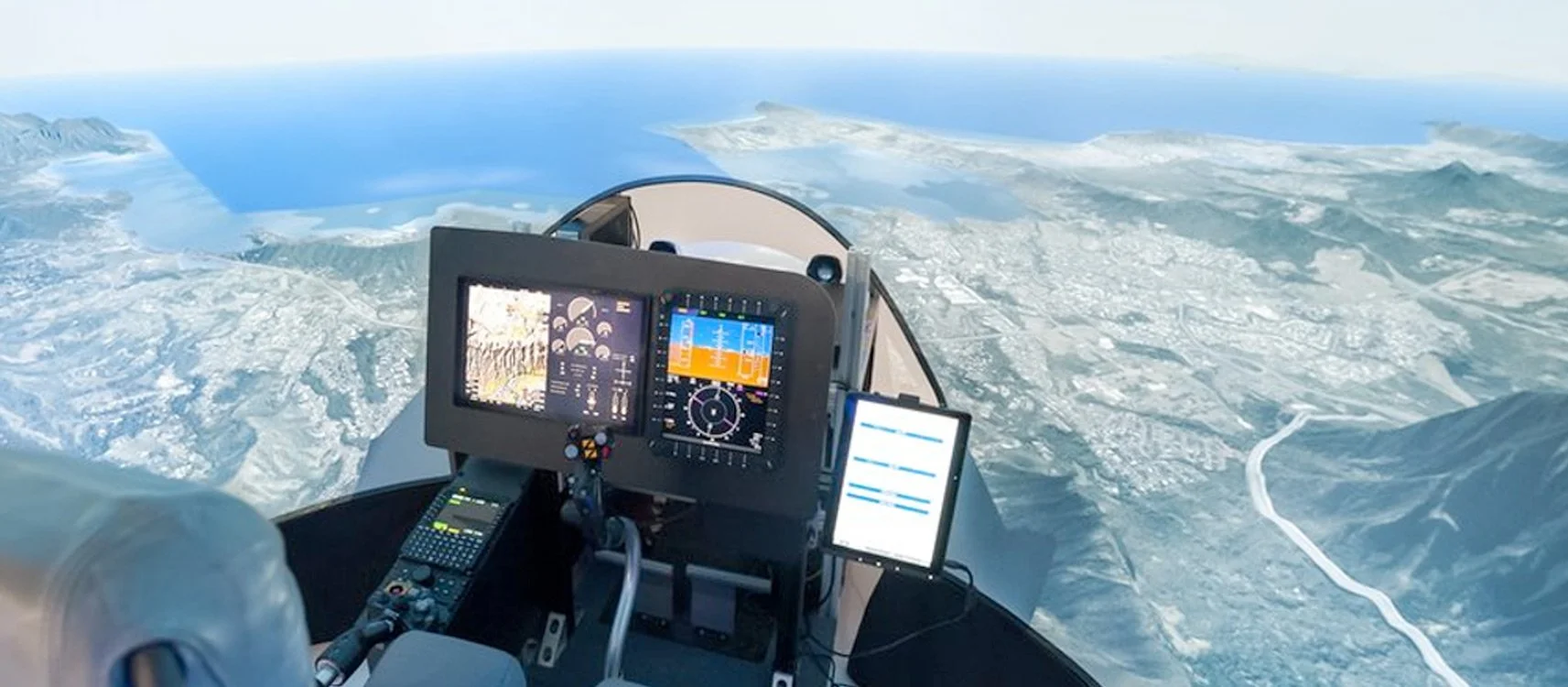

GeoBox Edge Blending Processors | Multi-Projector Seamless Blending






About GeoBox Edge Blending Processors
GeoBox edge blending processors merge the overlapping images from multiple projectors into one seamless, uniform picture — correcting the bright overlap seam with independent RGB gamma and black-level adjustment so a wide, curved, or panoramic surface looks like a single continuous display. Every unit is a standalone, one-box solution: geometry alignment, blending, and warp are configured over IR remote, an RS-232/Ethernet PC tool, or a built-in WebGUI, then run 24/7 on dedicated hardware with no resident PC software in the signal path.
The range spans a compact single-channel mini processor (G112), 2- and 4-channel 4K blending processors (G812, G814), an 8K2K-in processor with an integrated multi-viewer (UD100 Series), and a modular multi-video blender with PIP & POP (M810 Series) — all TAA compliant for government, simulation, and defense installations.
Choosing the Right GeoBox Edge Blending Processor
VigilLink's edge blending range is organized into four tiers. Start with the number of projectors, then the input resolution and whether you need an on-screen multi-viewer.
Mini single-channel (G112): A compact 1-channel mini edge blending processor with up to 17×9 grid geometry alignment, four-edge blending with independent RGB gamma, an embedded video wall function, and 90/180/270-degree rotation. Choose the G112 for the smallest, most cost-effective seamless blend of a single projector into a multi-projector chain.
Multi-channel 4K blending (G812, G814): Standalone blending processors accepting 4K2K input and outputting 2048×1080 per channel, with an embedded video wall function and 4K loop-out for daisy-chaining. The G812 is 2-channel and adds a 3D demultiplexer with warping; the G814 is 4-channel. A single unit blends up to four projectors, and multiple units link for larger arrays. Choose this tier for most 2- to 4-projector curved and panoramic installations.
8K-in with multi-viewer (UD100 Series): The highest-resolution tier — 8K2K in / 4K2K out with an integrated multi-viewer, HDMI 2.0 and DisplayPort inputs, 9-region black-level uplift, and edge-mask control. Available as UD101 (1-ch), UD102 (2-ch), UD103 (3-ch), and UD104 (4-ch). Choose the UD100 Series when the source is 8K, or when operators need a monitoring overlay alongside the blended output.
Modular multi-video (M810 Series): A modular 4K-in / 2K-out blending platform with PIP & POP, designed to blend content from multiple PCs and run non-stop in classroom and simulation environments. Choose the M810 Series when the installation needs scalable, multi-source blending with picture-in-picture layouts.
Also on this page: the M800EX Series (4K-in / 2K-out edge blending & projection mapping with 2× HDMI, 1× DP, and 1× VGA per channel) is cross-listed here but lives under Projection Mapping — choose it when you also need to map onto irregular or architectural surfaces.
Frequently Asked Questions
What is edge blending and when do I need it?
Edge blending overlaps the images from two or more projectors and blends the shared region into one seamless picture, correcting the brighter overlap seam with gamma and black-level adjustment. You need it whenever a single projector cannot cover a wide, curved, or high-resolution surface — such as a panorama, dome, simulator, or immersive room.
How many projectors can one GeoBox edge blending processor blend?
A single GeoBox edge blending processor blends up to four projectors into one seamless image, and multiple units can be linked via 4K loop-out ports to drive larger arrays. Channel count sets the base capacity — the G812 is 2-channel and the G814 is 4-channel.
Do GeoBox edge blending processors need a PC or software?
No. All blending and geometry settings run in dedicated hardware, so the processor operates continuously without a host computer or resident software. A PC, IR remote, or WebGUI is used only for initial setup and can then be disconnected, which is why these units suit 24/7 simulation and museum installations.
Which edge blending processor should I choose?
Choose the G112 for a compact single-projector blend, the G812 or G814 for 2- to 4-projector 4K installations, the UD100 Series when the source is 8K or an on-screen multi-viewer is required, and the M810 Series for modular multi-source blending with PIP & POP. All are TAA compliant and configured without software.
What does "4K2K in / 2K out" mean, and can these handle 8K sources?
"4K2K in / 2K out" means the processor accepts a 4K-class input and outputs a 2K-class image (2048×1080) per channel to each projector — appropriate for FHD and 2K projectors in a blended array. For native 8K sources, the UD100 Series accepts 8K2K input and outputs 4K2K per channel.
Why does the overlap region look brighter, and how is that fixed?
Where two projectors overlap, their light adds together, making that band brighter and washing out black levels. GeoBox processors correct this with edge blending curves and black-level uplift — raising the black level outside the overlap (up to 9 regions on the UD100 Series) so brightness is uniform across the entire blended image.