

Home > GeoBox Immersive Spaces > Projection Mapping
Edge Blending | Projection Mapping | Image Warping | Video Wall Processors | Multi-View Switchers & Splitters | 3D Processors
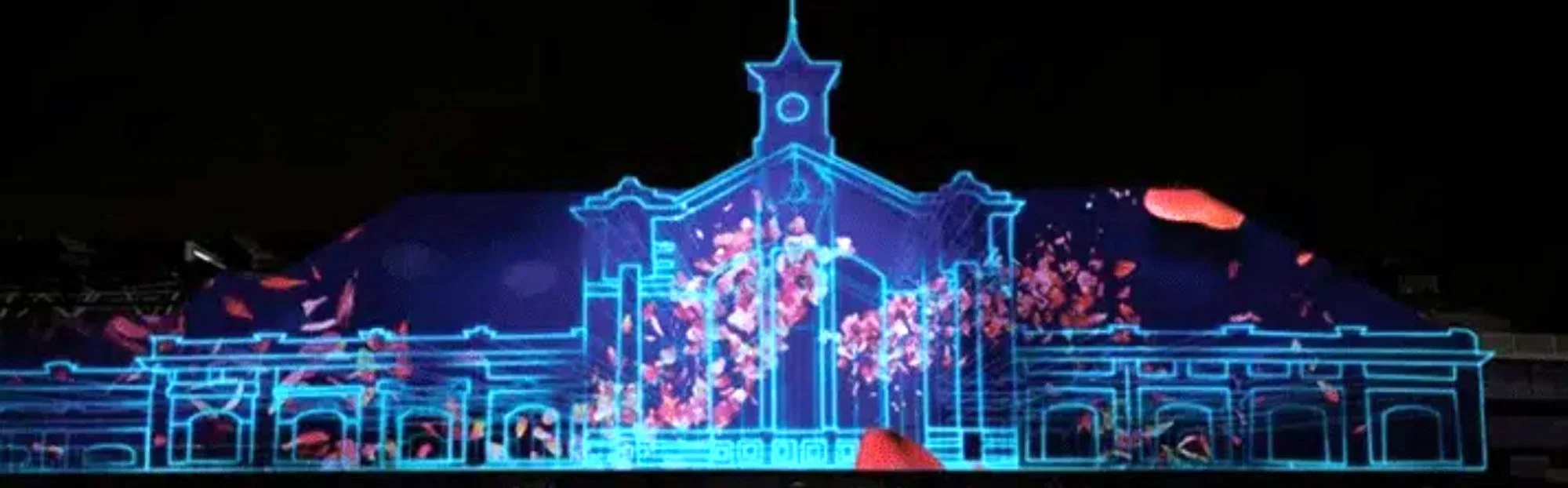

GeoBox Projection Mapping Processors



About Projection Mapping Processors
Projection mapping fits and warps a projected image to a surface that isn't a flat rectangle — a curved wall, a dome, a building facade, a sculpted object, or a stage set — so the content lands precisely on the target geometry. GeoBox projection mapping processors handle this alongside multi-projector edge blending, correcting geometry, warping the image to the surface, and blending overlapping projectors into one seamless picture from a single standalone unit.
Every processor is a one-box solution: geometry, warp, and blending are configured over IR remote, an RS-232/Ethernet PC tool, or a built-in WebGUI, then run 24/7 on dedicated hardware with no resident PC software in the signal path. The modular M800EX Series anchors this subcategory with 4K-in / 2K-out processing and flexible multi-format inputs per channel, and like the rest of the GeoBox line it is TAA compliant for government, simulation, and defense installations.
Choosing the Right Projection Mapping Processor
Start with the M800EX Series for dedicated mapping, then add warping or blending units where the installation needs them.
M800EX Series — modular mapping & blending platform: A modular 4K-in / 2K-out edge blending and projection mapping processor with 2× HDMI, 1× DP, and 1× VGA input per channel. The multi-format inputs let each channel take and select among several source types — useful in mapping installations that mix media servers, PCs, and legacy VGA sources — while the processor handles geometry alignment, warping to the target surface, and edge blending across projectors. Scale the channel count to the number of projectors in the installation. Choose the M800EX Series as the core processor for facade, dome, stage, and object-mapping projects.
Companion warping and blending units (G812, G814, UD100 Series): Several GeoBox blending processors also perform mapping-grade geometry and warping and can be paired with, or substituted for, the M800EX depending on resolution and channel needs. The G812 (2-channel) and G814 (4-channel) add warping to 4K blending; the UD100 Series steps up to 8K2K-in with a multi-viewer. These live under Edge Blending but are worth considering when a mapping project overlaps with high-resolution blending.
Selection guidance: For a project defined primarily by mapping onto an irregular surface with mixed sources, start with the M800EX Series and size the channel count to the projector count. If the project is primarily multi-projector blending on a curved-but-regular surface with 4K or 8K sources, the G812/G814 or UD100 Series may be the more direct fit.
Frequently Asked Questions
What is projection mapping, and how is it different from edge blending?
Projection mapping warps and fits a projected image onto a non-flat or irregular surface — a curved wall, dome, object, or building facade — so the content aligns to that geometry. Edge blending merges the overlapping images of multiple projectors into one seamless picture. GeoBox processors such as the M800EX Series do both in a single unit.
What is the M800EX Series?
The M800EX Series is a modular GeoBox edge blending and projection mapping processor with 4K-in / 2K-out processing and 2× HDMI, 1× DP, and 1× VGA input per channel. It handles geometry alignment, warping to the target surface, and multi-projector blending, and scales by channel count to match the projector count in an installation.
Why does each channel have 2× HDMI, 1× DP, and 1× VGA input?
The multi-format inputs let each channel accept and select among several source types — media servers and PCs over HDMI or DisplayPort, plus legacy VGA — without an external switcher. This is common in mapping installations that combine modern and legacy sources on the same surface.
Do I need mapping software or a PC to run it?
No. All geometry, warp, and blending settings run in dedicated hardware, so the processor operates continuously without a host computer or resident software. A PC, IR remote, or WebGUI is used only for setup and can then be disconnected — suiting unattended, 24/7 installations.
Can the M800EX Series also do edge blending?
Yes. The M800EX combines projection mapping and multi-projector edge blending in one processor, so a single unit both fits content to an irregular surface and blends the overlapping regions of adjacent projectors into a seamless image.
Are GeoBox projection mapping processors TAA compliant?
Yes. Like the rest of the GeoBox line, the M800EX Series is TAA compliant and hardware-based for reliability, making it suitable for government, defense, museum, and simulation installations that run non-stop.