

Home > KVM Solutions > Dual Monitor KVM Switchers
Single Monitor KVM Switchers | Dual Monitor KVM Switchers | Dual-Head 10G Fiber KVM Extenders
Dual Monitor KVM Switchers | 4K60 HDMI/DP & 8K HDMI
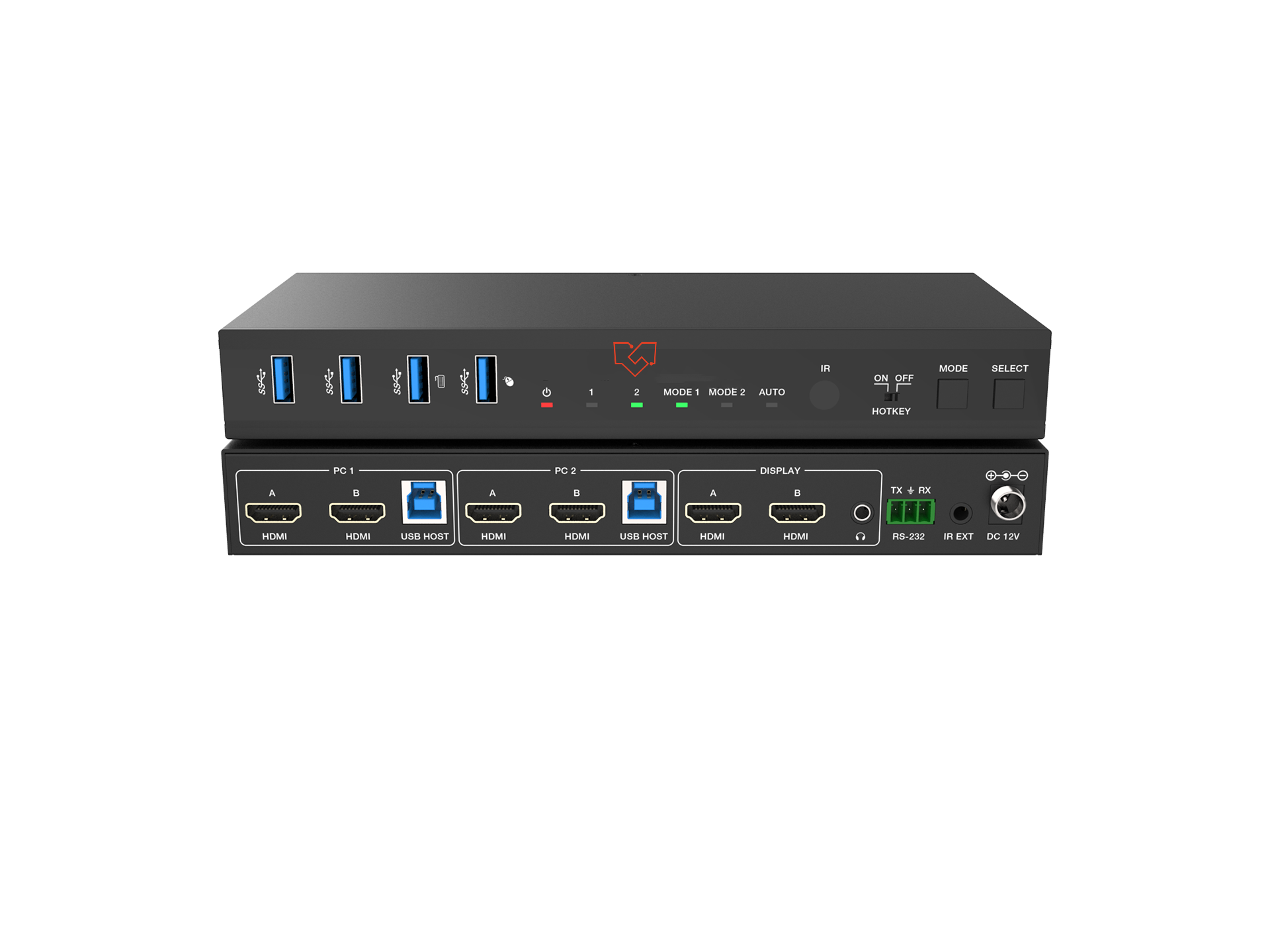
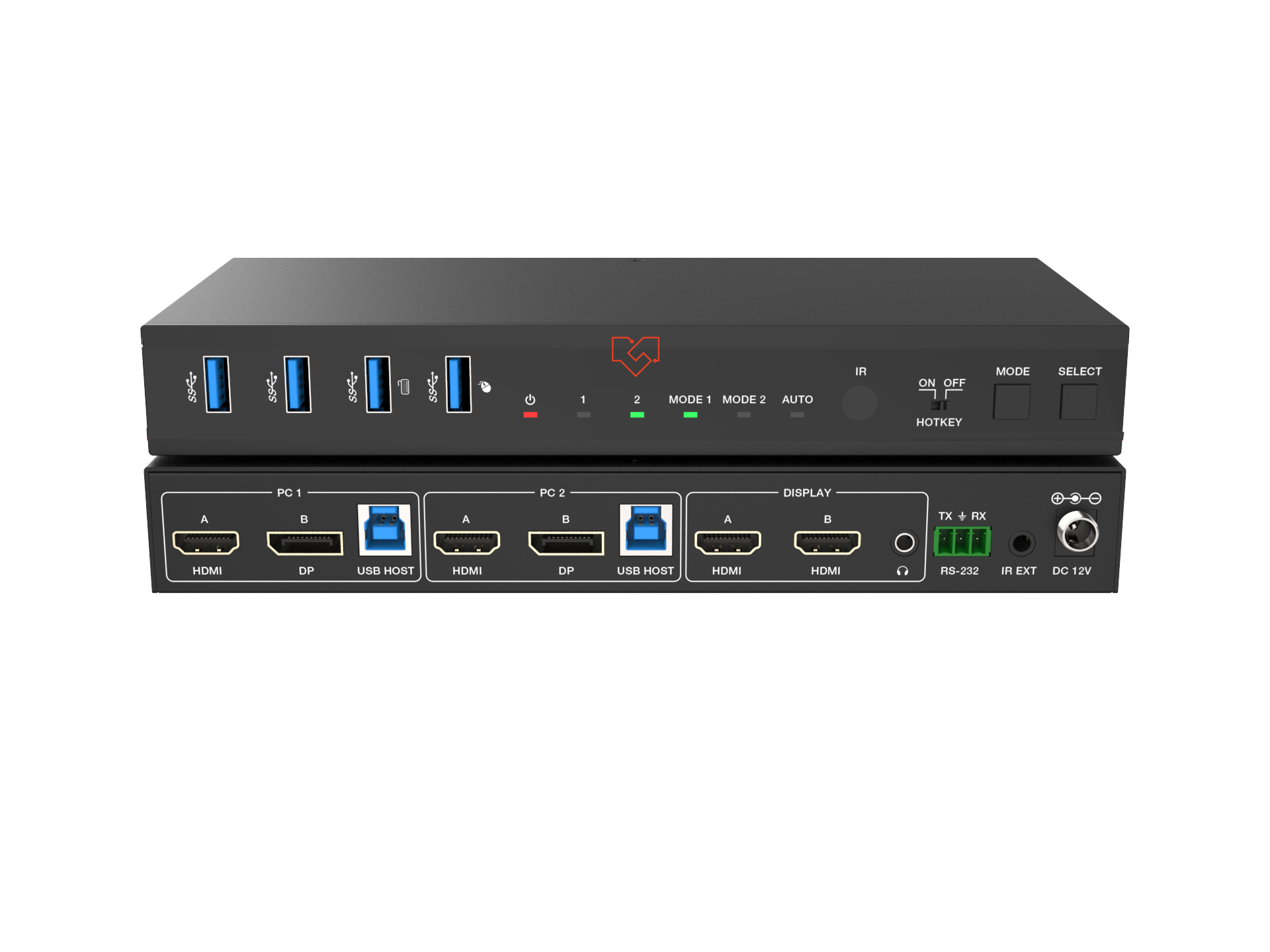


About Dual-Monitor KVM Switchers
VigilLink's dual-monitor KVM switcher series extends KVM switching to two-screen workstations — sharing both monitors, keyboard, and mouse across two computers in a single switch action. Unlike single-monitor KVM switchers, dual-monitor models route two independent video signals simultaneously, so both displays switch together and the active computer's full multi-screen desktop is restored instantly. The dual-monitor series spans 4K@60Hz HDMI, a combined HDMI/DisplayPort model for mixed display configurations, and 8K@60Hz HDMI for the highest-resolution dual-screen environments. All models feature front-panel button, hotkey, and mouse-click KVM switching methods.
Choosing the Right Dual-Monitor KVM Switcher
4K@60Hz HDMI Dual-Monitor (VLKV-H202D): Two-port dual-monitor KVM switching with two HDMI inputs and two HDMI outputs per computer source. Both connected displays are 4K@60Hz HDMI. This is the standard choice for dual-HDMI-monitor workstations requiring shared keyboard and mouse access across two computers.
4K@60Hz HDMI/DisplayPort Dual-Monitor (VLKV-H20P2D): Two-port dual-monitor KVM switcher combining one HDMI monitor output and one DisplayPort monitor output per position. Purpose-built for workstations with a mixed HDMI and DisplayPort display setup — a common configuration in professional AV, color grading, and design environments where monitors from different manufacturers use different connector standards.
8K@60Hz HDMI Dual-Monitor (VLKV-H212D): Dual-monitor KVM switching at 8K@60Hz for both connected displays. For post-production studios, broadcast monitoring walls, and high-resolution visualization environments running 8K displays where 4K@60Hz dual-monitor switching is insufficient.
Frequently Asked Questions
What is a dual-monitor KVM switcher and how does it differ from a single-monitor KVM?
A dual-monitor KVM switcher routes two independent video outputs simultaneously alongside USB keyboard and mouse — both displays switch together when you change the active computer. A single-monitor KVM routes only one video signal. Use a dual-monitor KVM when both screens of a two-monitor workstation must show the active computer's desktop after switching.
Do both monitors switch at the same time on the VLKV dual-monitor models?
Yes. On all three dual-monitor KVM models (VLKV-H202D, VLKV-H20P2D, VLKV-H212D), both monitors switch simultaneously with the keyboard and mouse. The transition is a single button press, hotkey, or mouse-click action — no separate switching of each display is required.
Why would I choose the VLKV-H20P2D over the VLKV-H202D?
Choose the VLKV-H20P2D when one of the two monitors in your dual-screen setup uses a DisplayPort input rather than HDMI. The VLKV-H20P2D provides one HDMI output and one DisplayPort output per computer position, matching mixed-connector display environments without adapters. If both monitors use HDMI, the VLKV-H202D is the correct choice.
Can dual-monitor KVM switchers handle different resolutions on each display?
Yes. Because the two video outputs on VigilLink's dual-monitor KVM switchers are independent signal paths, each display negotiates its own resolution and refresh rate with the connected computer source independently. A 4K display on one output and a 1080p display on the other is fully supported.
Are there 4-port dual-monitor KVM options in the VigilLink range?
The current VigilLink dual-monitor KVM lineup consists of 2-port models (two computer sources). For installations requiring shared keyboard/mouse and dual-monitor video switching across more than two computers, contact VigilLink for enterprise KVM solutions or consult the single-monitor 4-port models (VLKV-H2041, VLKV-H2041M) combined with a multi-output display configuration.